Build an AI agent with supportjoy


Key Takeaways
- SupportJoy AI offers customizable agents to boost customer support efficiency.
- Integrating AI into workflows helps automate tasks and reduce manual effort.
- Data analysis is crucial for making informed business decisions with AI.
- Healthcare can benefit from predictive analytics and machine learning for better patient care.
- NLP enhances customer interactions by understanding and responding to inquiries effectively.
Understanding SupportJoy AI for Customer Support
Key Features of SupportJoy AI
SupportJoy AI is packed with cool features that make customer support a breeze. First up, it's got 24/7 availability, so no more waiting for business hours to get help. It's like having a support team that never sleeps. Then, there's the personalization aspect. The AI can tailor responses based on past interactions, making each customer feel special. And let's not forget its ability to handle multiple queries at once, which is a lifesaver during peak times.
Benefits of Using AI in Customer Support
Using AI in customer support comes with a bunch of perks. For starters, it frees up human agents to focus on complex issues by handling routine queries. This means faster response times for customers. Plus, AI can gather and analyze data from interactions, providing insights that can improve service quality. Not to mention, it reduces operational costs by automating repetitive tasks.
How SupportJoy Enhances Customer Experience
SupportJoy takes customer experience to a whole new level. With its intelligent solutions, it ensures customers get accurate and quick answers, boosting satisfaction. It also learns from each interaction, getting better over time. So, every time you use it, the service is a bit more refined. And because it's always on, customers can reach out whenever they need, which is a huge plus for those late-night queries.
Integrating AI Agents into Your Workflow
Steps to Build an AI Agent
Alright, so you're thinking about getting an AI agent up and running? It's easier than you might think. Here's a quick breakdown:
- Define the Purpose: First, figure out what you want this agent to do. Is it handling customer queries, managing schedules, or something else?
- Choose the Right Tools: Depending on the task, you'll need to pick the right software and platforms. There are tons out there, so find what fits your needs.
- Set Up the Agent: Most platforms offer templates or guides to get you started. Use them. They make life easier.
- Train the Agent: Feed it the info it needs. The more data, the better it performs.
- Test It Out: Before going live, run some tests. Check if it’s doing what it’s supposed to.
- Deploy and Monitor: Once you're happy, deploy it. But keep an eye on it. You'll probably need to tweak things as you go.
Customizing AI Agents for Specific Tasks
You can make these agents do almost anything. Want it to handle customer service? No problem. Need it to manage inventory? Done. Just make sure you:
- Identify the specific task or tasks.
- Customize the agent’s responses and abilities to suit those tasks.
- Continuously update and refine the agent based on feedback and performance.
Streamlining Processes with Automation
Automation is where the magic happens. It saves time and reduces human error. Here’s how you can streamline processes:
- Automate Repetitive Tasks: Things like data entry or scheduling can be automated easily.
- Integrate with Existing Systems: Make sure your AI works with what you already have, like CRM systems or email platforms.
- Monitor and Adjust: Keep an eye on the automated processes. Sometimes they need a little tweak to keep running smoothly.
Automating with AI agents not only cuts down on manual work but also boosts overall efficiency. It's like having an extra pair of hands that never gets tired.
Leveraging Data Analysis for Better Decision Making

Importance of Data Analysis in AI
Data analysis is like the backbone of AI, you know? Without it, AI is just a bunch of fancy algorithms with no real-world application. Data analysis helps AI make sense of the world by turning raw data into actionable insights. This means businesses can make better decisions, faster.
Tools for Effective Data Analysis
When it comes to data analysis, having the right tools is key. Here are some you might consider:
- Spreadsheets: Yeah, the good old Excel or Google Sheets. They're simple but powerful for basic analysis.
- Business Intelligence Software: Tools like Tableau or Power BI make it easier to visualize data and spot trends.
- Statistical Software: For more complex analysis, software like R or Python is your friend.
Predictive AI for Future Insights
Predictive AI is where things get really interesting. It uses data to forecast future trends and behaviors. Imagine knowing what your customers want before they do! This kind of insight can give you a serious edge over the competition.
Companies should adopt a holistic and strategic approach to leverage data effectively, focusing on data governance and management.
Enhancing Healthcare with AI and Machine Learning
AI Applications in Healthcare
AI is shaking things up in healthcare. It's not just about robots or sci-fi stuff. Think about AI helping doctors with diagnosing diseases or even predicting them before they get too serious. Like, AI can sift through tons of data way faster than any human, spotting patterns that might mean something's off. This means catching diseases early, which is a game-changer.
Machine Learning for Patient Care
Machine learning is like the brain behind AI. It helps in tailoring treatments for patients. Imagine a system that learns from each patient interaction and then suggests the best treatment options. It’s like having a super smart assistant that remembers everything and never gets tired. This can improve patient care by making it more personalized and effective.
Predictive Analytics in Medical Diagnosis
Predictive analytics is another cool thing. It’s about using data to predict future health issues. Doctors can use this to plan better care for their patients. It's like having a crystal ball, but based on real data. This means fewer surprises and more proactive healthcare.
Improving Customer Support with NLP and Automation
Role of NLP in Customer Support
Natural Language Processing (NLP) is like the secret sauce for making chatbots and virtual assistants sound more human. It's what lets them understand and respond to what you're saying, even if you phrase things in a weird way. This tech helps businesses handle customer questions better and faster. Imagine asking a bot about your order status at 2 AM and getting a spot-on answer. That's NLP at work.
Automating Customer Interactions
Automation in customer support is like having a team that never sleeps. With AI tools, routine stuff like checking order statuses or resetting passwords can be handled without a human. Here's what automation can do:
- 24/7 Availability: Customers can get help anytime, not just during business hours.
- Faster Response Times: No more waiting in line for simple questions.
- Consistent Answers: Bots give the same info every time, reducing confusion.
Benefits of AI-Driven Support Systems
AI-driven systems are game-changers for support teams. They don't just save time; they also improve the customer experience. Think about it: customers get quick help, and support folks can focus on more complex issues. Plus, the data these systems collect help companies understand what customers want, leading to better products and services.
With AI and automation, businesses can offer a level of customer support that meets the demands of today's fast-paced world, keeping customers happy and coming back for more.
Exploring Predictive AI in Business Operations

Predictive AI for Business Growth
So, predictive AI is kind of a big deal for businesses. It helps them see what's coming and make better choices. Imagine knowing what your customers want before they even do. That's the power of predictive AI. It can transform how companies operate, giving them a serious edge over the competition. Businesses can use it to forecast trends, manage risks, and even streamline operations. It's like having a crystal ball, but way more practical.
Implementing AI in Business Strategies
Getting AI into your business game plan isn't as tricky as it sounds. Here's a quick rundown on how to make it happen:
- Identify the Need: Figure out where AI can make the biggest impact.
- Choose the Right Tools: There are tons of AI tools out there, so pick the ones that fit your business best.
- Start Small: Test AI on a small scale before going all in.
- Train Your Team: Make sure your team knows how to use AI effectively.
- Monitor and Adjust: Keep an eye on how AI is performing and tweak as needed.
Challenges and Solutions in AI Adoption
Adopting AI isn't all sunshine and rainbows. There are some bumps in the road, but nothing you can't handle. Here are a few challenges and how to tackle them:
- Data Privacy: Make sure you're handling customer data responsibly. This is a biggie.
- Cost: AI can be pricey, but the benefits often outweigh the costs. Look for cost-effective solutions.
- Skill Gap: Not everyone knows AI inside and out. Invest in training to bridge the gap.
Embracing predictive AI can seem daunting, but the potential rewards are huge. With the right strategy, businesses can not only survive but thrive in a competitive market. It's all about taking that first step and being open to change.
Maximizing Efficiency with AI-Powered Tools
AI Tools for Operational Efficiency
AI tools are like the secret sauce for making businesses run smoother. They help cut down on the boring, repetitive tasks, letting folks focus on the stuff that really matters. AI tools can boost productivity by streamlining operations, saving both time and money. Imagine having an assistant that never sleeps, helping out 24/7. That's what AI can do for your business.
Integrating AI with Existing Systems
Getting AI to work with what you already have might sound tricky, but it's totally doable. Start by identifying where AI can make the most impact. Here's a simple way to think about it:
- Assess your current systems - Know what you have and what you need.
- Choose the right AI tools - Pick tools that fit your needs.
- Implement and monitor - Roll out the tools and keep an eye on how they're doing.
Case Studies of Successful AI Implementation
Lots of companies have jumped on the AI bandwagon and seen great results. For example, businesses in finance and travel are using AI productivity tools to tackle challenges and improve efficiency. These tools help manage expenses and streamline processes, leading to better performance overall.
AI tools are the future, making businesses more efficient and ready to tackle the challenges ahead. They're not just a trend; they're here to stay.
Final Thoughts on Building an AI Agent with SupportJoy
In conclusion, creating an AI agent with SupportJoy is a smart move for any business looking to improve customer service. This tool makes it easy to set up and customize your own AI agent, which can handle many tasks quickly. By using SupportJoy, you can save time and let your team focus on more important work. Plus, the ability to integrate with other tools means your AI agent can fit right into your existing systems. As technology continues to grow, having an AI agent will help your business stay ahead and provide better support to your customers.
Frequently Asked Questions
What is SupportJoy AI?
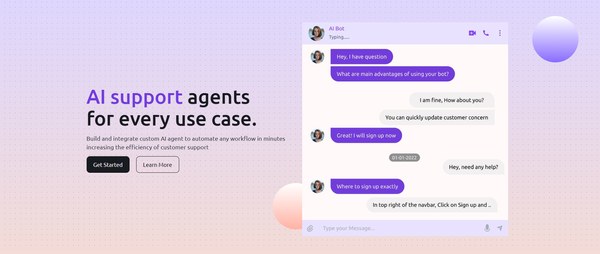
SupportJoy AI is a tool that helps businesses improve customer support by using smart technology to automate tasks.
How can I create an AI agent with SupportJoy?
You can easily build an AI agent with SupportJoy by following simple steps and using pre-made templates.
What are the benefits of using AI in customer support?
Using AI in customer support can save time, reduce costs, and provide quicker responses to customer questions.
Is it easy to customize AI agents?
Yes, you can customize AI agents to perform specific tasks that suit your business needs.
What kind of data can SupportJoy analyze?
SupportJoy can analyze various types of data to help businesses make better decisions based on customer interactions.
Can SupportJoy AI be used in healthcare?
Absolutely! SupportJoy AI can be applied in healthcare to improve patient care and streamline processes.